Free printable weekly timesheet (PDF), and an app that fills it in for you
Quick answer: Download the free weekly timesheet below (A4 or US Letter PDF), print it and fill in each day's start, finish, unpaid break and paid hours. If you would rather not add it up by hand, Time Card does the same on your iPhone and sends a finished PDF of the week to your boss or client.
Get Time Card on the App Store Time Card hours tracker app (formerly Timesheet Pro). Free for iPhone and iPad.
A printed timesheet is still what many bosses, families and clients ask for. Here is a clean weekly one you can download for free, and below it, how to fill it in, plus the faster way: Time Card on your iPhone, which keeps the same record and builds the PDF for you.
Download the free weekly timesheet
- Weekly timesheet, A4 (PDF) for Australia, the UK, New Zealand and most of the world.
- Weekly timesheet, US Letter (PDF) for the United States and Canada.
Each one has a row for Monday to Sunday with date, start, finish, unpaid break, paid hours and notes, then total paid hours, hourly rate and total pay, and lines for your signature and the person approving it.
How to fill it in
- Write your name, the employer or client, the date the week starts and your hourly rate.
- Each day you work, write the actual start and finish time and the length of any unpaid break.
- Work out paid hours: finish minus start minus the unpaid break.
- At the end of the week, add up the paid hours, multiply by your rate and sign it.
A worked day: start 7:55 am, finish 3:10 pm, no break, is 7 hours 15 minutes, or 7.25 hours. A day from 8:05 am to 6:20 pm with a 30-minute unpaid break is 9 hours 45 minutes, or 9.75 hours.
Let your iPhone fill it in
Paper gets lost and the adding up is where mistakes creep in. Time Card keeps the same record on your phone:
- Tap the day and set start, finish and break on the wheels, to the minute. Your usual shift is already filled in.
- Paid hours, the week’s total and your pay at your rate are worked out for you.
- Overnight shifts and daylight-saving nights are counted correctly.
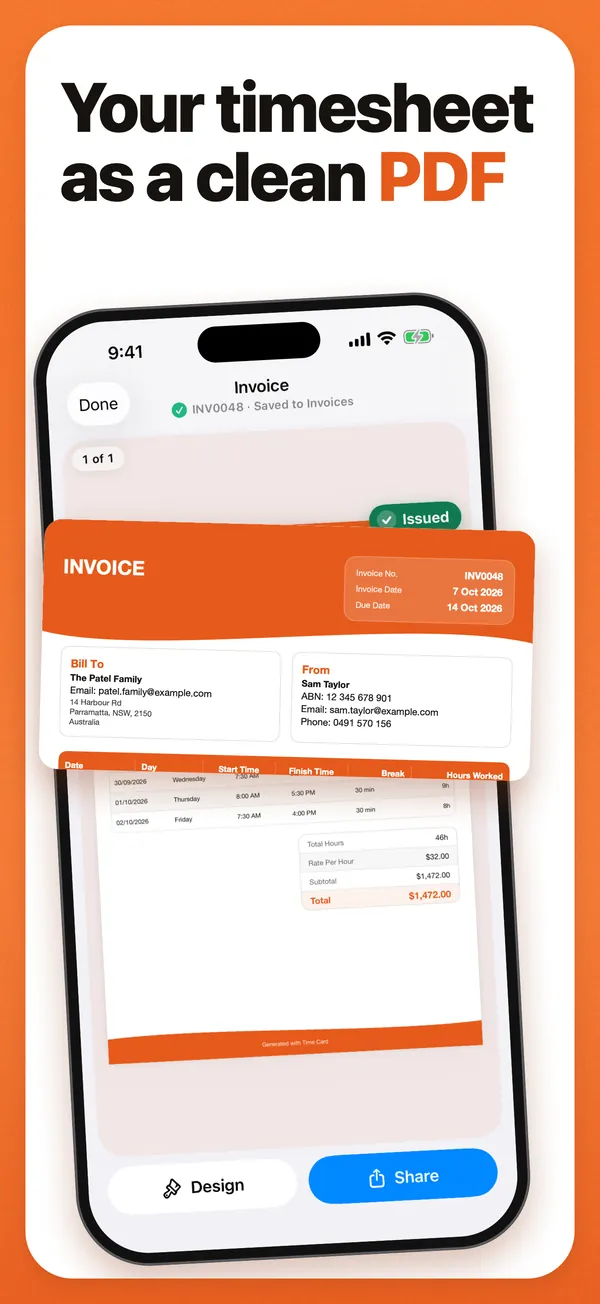
- Any week, or several weeks, becomes a PDF listing each day’s date, start, finish, break and hours, with your rate and the total, ready to send to your boss or client.
- It works offline, needs no account, and is free for two jobs or clients.
If someone wants a paper copy, print the PDF Time Card makes. It has the same day-by-day columns as the template above (date, day, start, finish, break and hours worked), already added up.
Questions people ask
Where can I get a free timesheet PDF?
Download the free weekly timesheet on this page, in A4 or US Letter. It has a row for each day with date, start, finish, unpaid break, paid hours and notes, plus totals for hours, rate and pay, and space for two signatures.
Can I make a timesheet PDF on my iPhone?
Yes, with Time Card. Log each day's start, finish and break, and turn any week into a PDF with every day's times, hours worked, your rate and the total. Share it by email, Messages or WhatsApp, or save it to Files.
What should a timesheet include?
Your name, the employer or client, the week, and for each day the date, start time, finish time, unpaid break and paid hours, then the total hours, the hourly rate and the total pay. A signature line for you and the person approving it helps if the hours are ever questioned.
How do I work out paid hours on a timesheet?
Take the time between start and finish and subtract the unpaid break. 8:30 am to 5:15 pm with a 30-minute unpaid break is 8 hours 15 minutes, or 8.25 hours. Time Card does this for every day automatically.
More Time Card guides
- How to choose an hours tracker if you're paid by the hour
- Track casual hours and invoice families or clients in Australia, on your iPhone
- Nanny hours tracker: log your hours and send the family a weekly invoice
- Turn your hours into an invoice PDF on iPhone, without a subscription
- Keep your own time card to check your paycheck
- How to keep track of your work hours and pay on iPhone
- Subcontractor hours to a GST tax invoice for the builder, on your iPhone
- Zero-hours or shift work in the UK: log every shift and check your payslip
- Tracking work hours, pay, timesheets and invoices on iPhone: 50 questions answered
- Timesheet app for cleaners: log each house and send each client an invoice
- Babysitting hours tracker: log every sit and send the family what they owe
- Tutor invoice app: log your lessons and send parents a PDF invoice
- Work hours calculator with breaks